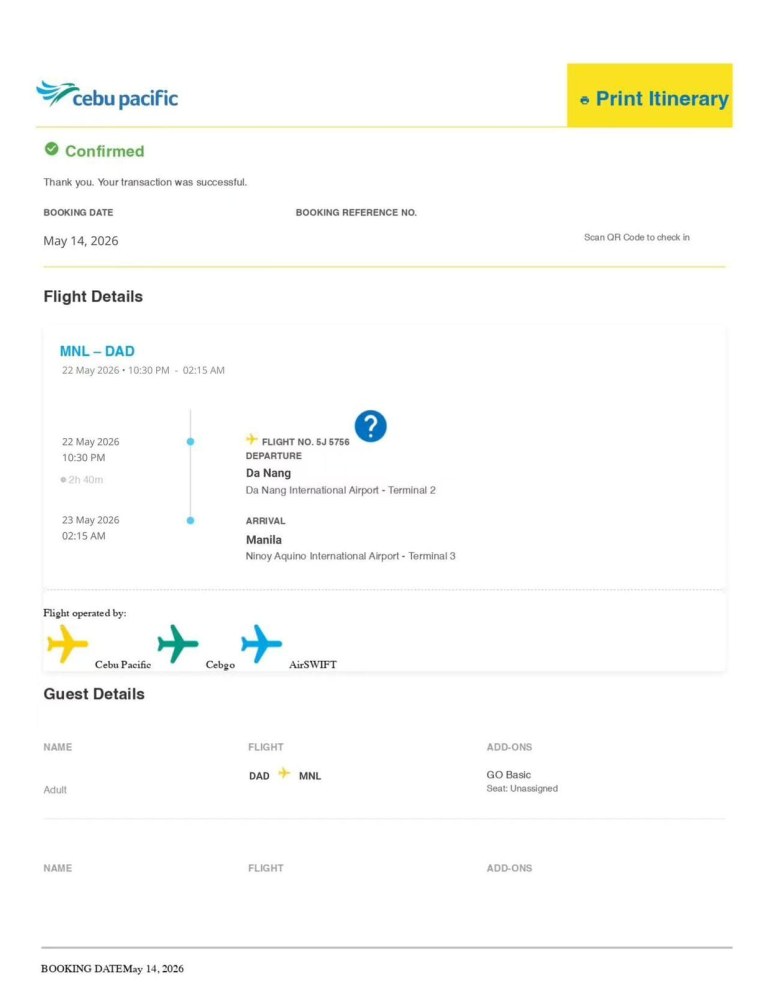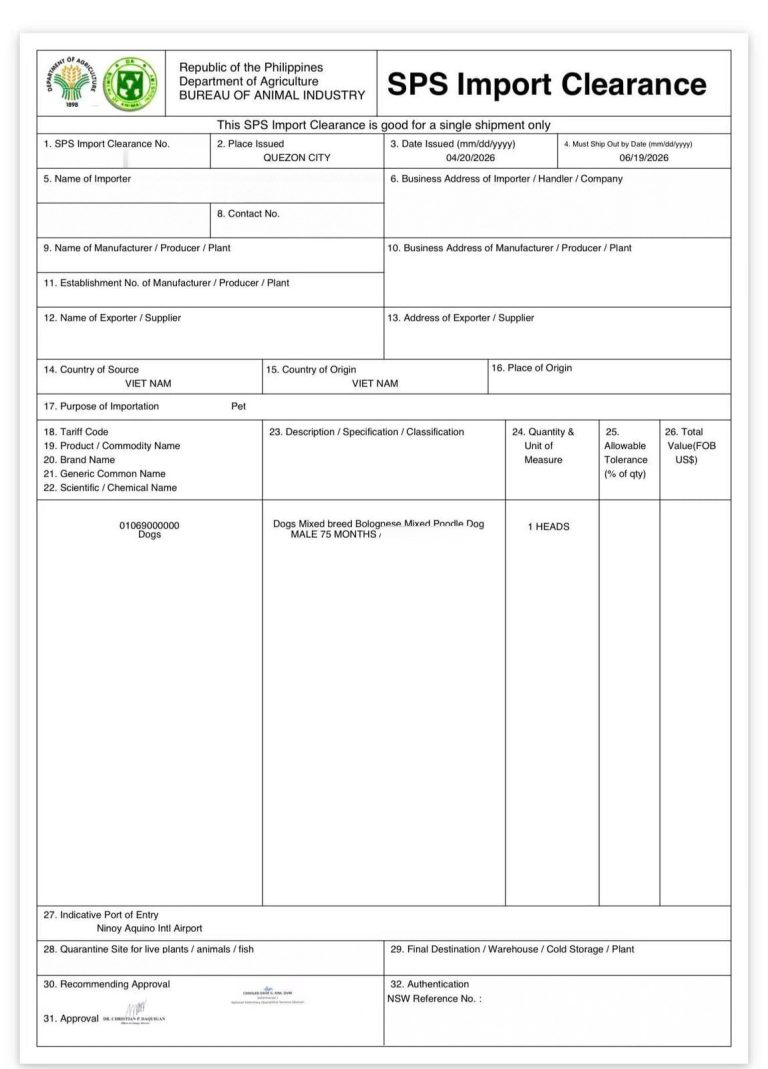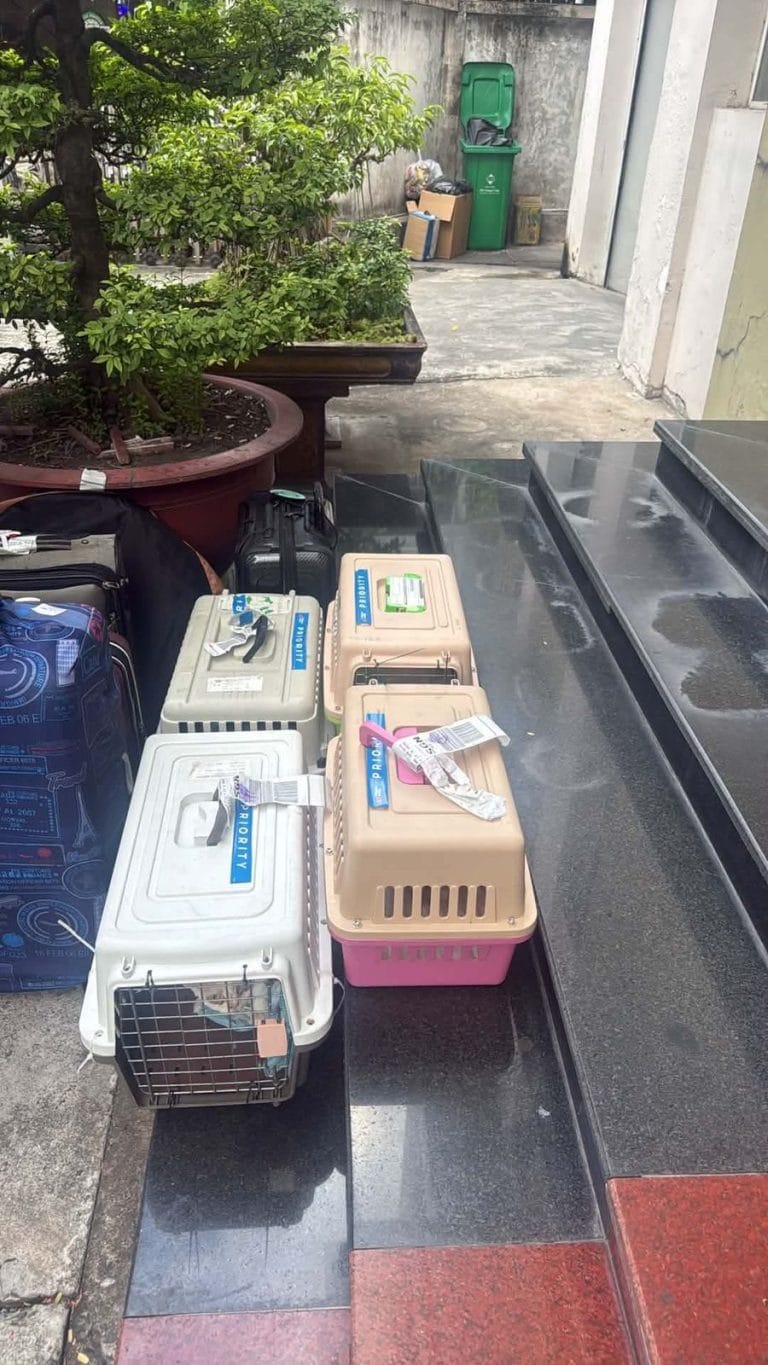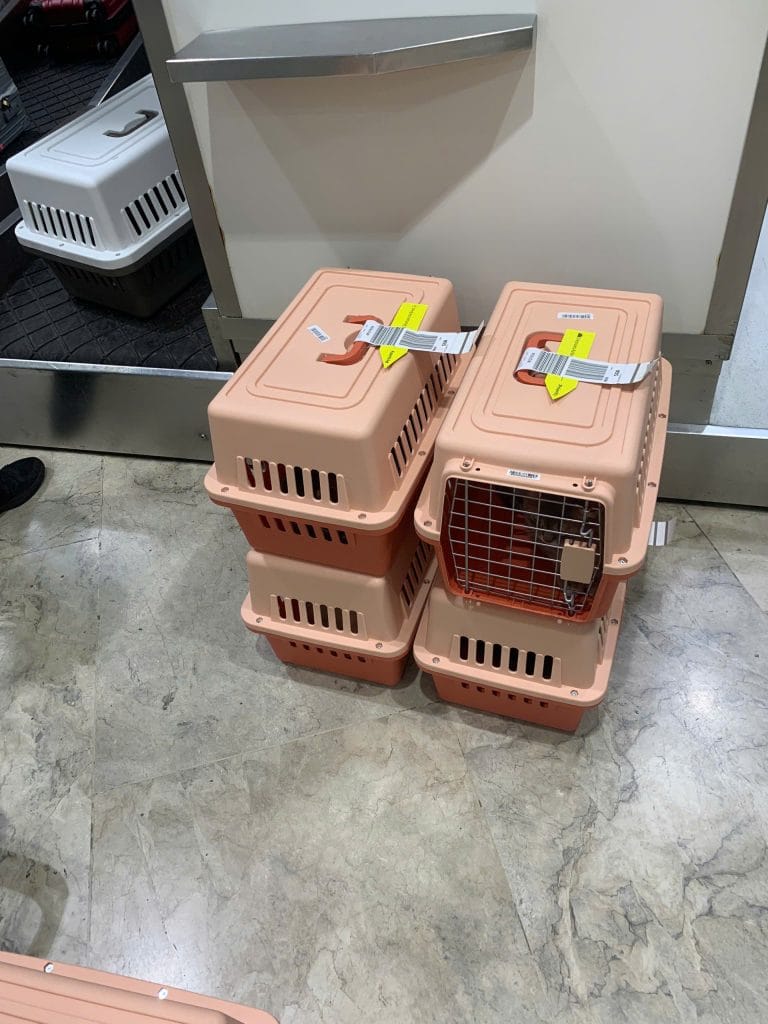


To bring a dog or cat into the Philippines, you file an SPSIC application with the Bureau of Animal Industry (BAI) on the InterCommerce portal. BAI takes 11 working days to process it. The SPS Import Clearance (SPSIC) must be approved before your pet leaves the exporting country.
This guide follows the live registration form as it stood on 25 October 2026. It shows each field, the checks that make the form refuse an entry, and what to do after BAI approves the permit.
Quick answers
- Who applies? The importer named on your pet’s export health certificate. This is usually the owner or a family member in the Philippines.
- When? About four weeks before the flight. The SPSIC lasts 60 days from the date BAI issues it.
- What do I need? A passport, a Philippine address and phone number, the microchip number, vaccination and parasite records, and a photo of the pet.
- What trips people up? The password cannot contain the digit 6 or 8. The importer name must match the health certificate.
- How do I know it was sent? The status shows “Under Review”. A status of “Created” means BAI has not received it.
Before your SPSIC application: who files and when
Who the importer is
The SPSIC is the Philippine form of a pet import permit for dogs and cats. BAI issues it in the name of one importer.
That name must match the owner name on the export health certificate from the exporting country, the Veterinary Health Certificate (VHC). BAI’s guide asks for the owner details and the pet details to be the same on both papers.
The importer also needs an address and a phone number in the Philippines. This is the home where the pet will live after arrival. If you have no Philippine address yet, a family member there can be the importer. The health certificate then carries that family member’s name.
A family member or a pet relocation company can fill in the form for the importer. The account and the permit still carry the importer’s name. For pets flying from Vietnam, the full route is laid out on our pet shipping page for the Philippines.
One importer can bring in a maximum of 3 pets per year. The same pets may enter more than once a year if their microchip numbers match.
When to apply
BAI processes an SPSIC application in 11 working days. The approved permit must exist before the pet departs. BAI’s own guide warns that a permit issued after the departure date is automatically invalid.
The SPSIC is valid for 60 days from the date of issue. BAI does not extend it. Our 8-week preparation timeline for flights from Vietnam files the application in week 5, about four weeks before the flight.
Lady Arwen, a Devon Rex cat, shows how the dates work. Her SPSIC was issued on 23 August 2026. Her Must Ship Out by Date was 22 October 2026. She flew from Ho Chi Minh City to Manila on 2 September 2026.
What the pet must meet on the application date
- Age: at least 18 weeks old on the day you apply (BAI Memorandum Circular No. 38, s. 2026).
- Rabies vaccine: given at 12 weeks of age or older. A first shot must be at least 14 days old when you apply. An on-time annual booster needs no waiting period.
- Pregnancy: a pregnant dog or cat cannot get an SPSIC. A pet that has given birth must have done so at least 18 weeks before travel.
- Parasite treatment: the internal and external treatment must still be valid on the arrival day.
The full rule set, including the health certificate window, is in our Philippines pet import laws guide. From 1 January 2027, BAI plans to require a rabies antibody titer test for every dog and cat. If your pet will arrive after that date, start the test early.
Documents to prepare before you open the form
Scan each document as a PDF or JPG file under 5 MB. Keep these ready:
- The pet’s microchip number, read from an ISO-compatible pet microchip.
- Vaccination and parasite treatment records from your vet clinic.
- A recent photo of the pet.
- The pet passport, if the pet has one.
- Form 1, the “Certificate of Animal Vaccination, Antibody Titer, and Medication” from Memorandum Circular No. 38. Full compliance with that circular becomes mandatory on 1 January 2027.
- Your passport number and expiry date, your Philippine address and phone number, and an email inbox you check.
Step 1: create your InterCommerce account for the SPSIC application
Open the InterCommerce importer registration page at intercommerce.com.ph/registrationbai.asp. BAI calls this portal the DA Trade System. InterCommerce Network Services runs it for the Department of Agriculture.
A Privacy Policy box opens first. Click “I Agree” to see the form. The text at the top still asks for an “8 alphanumeric password”. The form now checks for more than that, so follow the password rules below.
Personal details and passport
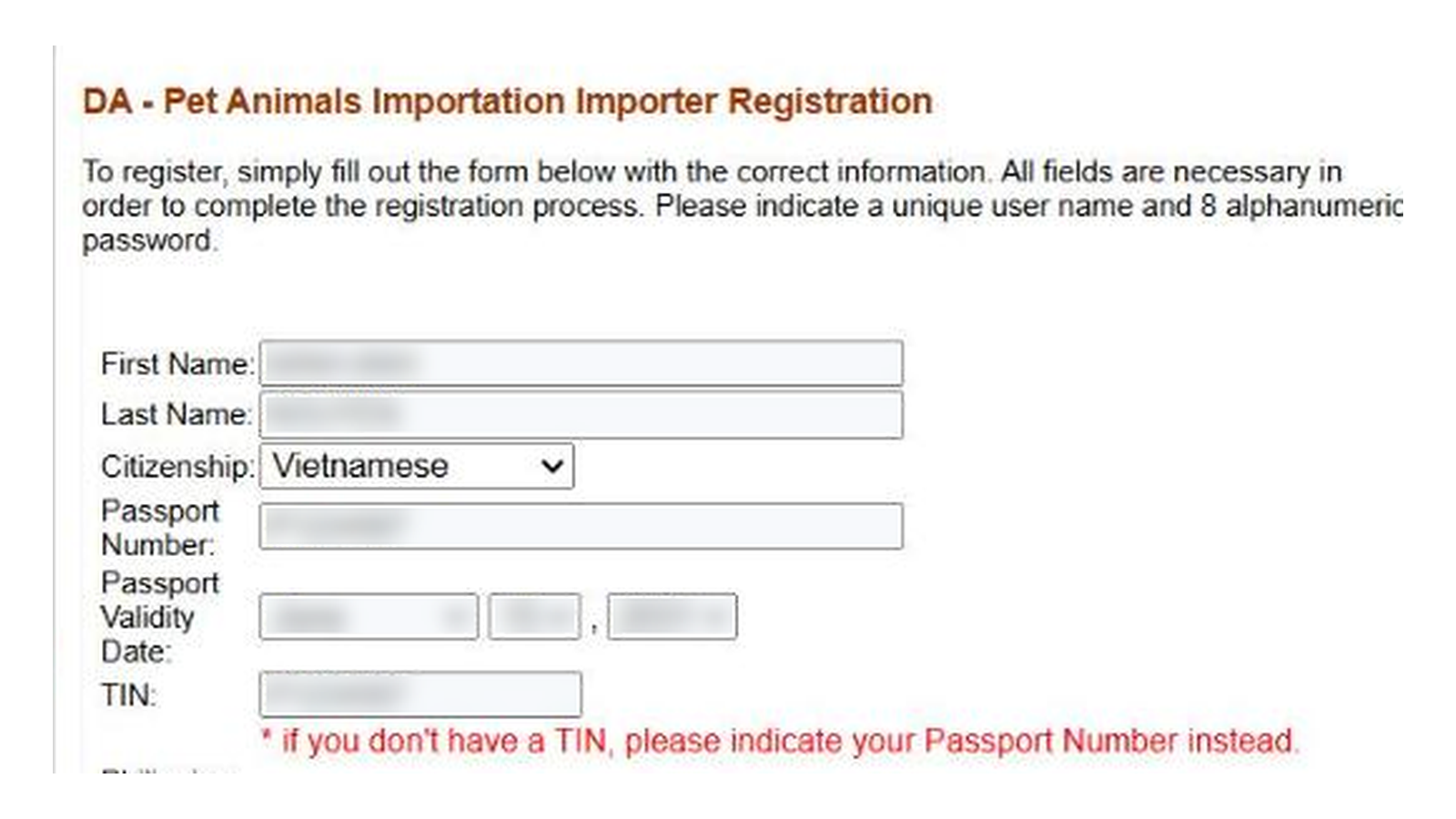
- First Name and Last Name: type the name exactly as in the passport, without accents. For example, write Nguyen, not Nguyễn.
- Citizenship: pick your nationality from the list.
- Passport Number and Passport Validity Date: the expiry date must be in the future. Pick the month before the day. Changing the month clears the day box.
- TIN: if you have no Philippine tax number, enter your passport number. The form says so in red. An approved SPSIC from April 2026 prints the owner’s passport number in this box.
Philippine address and phone
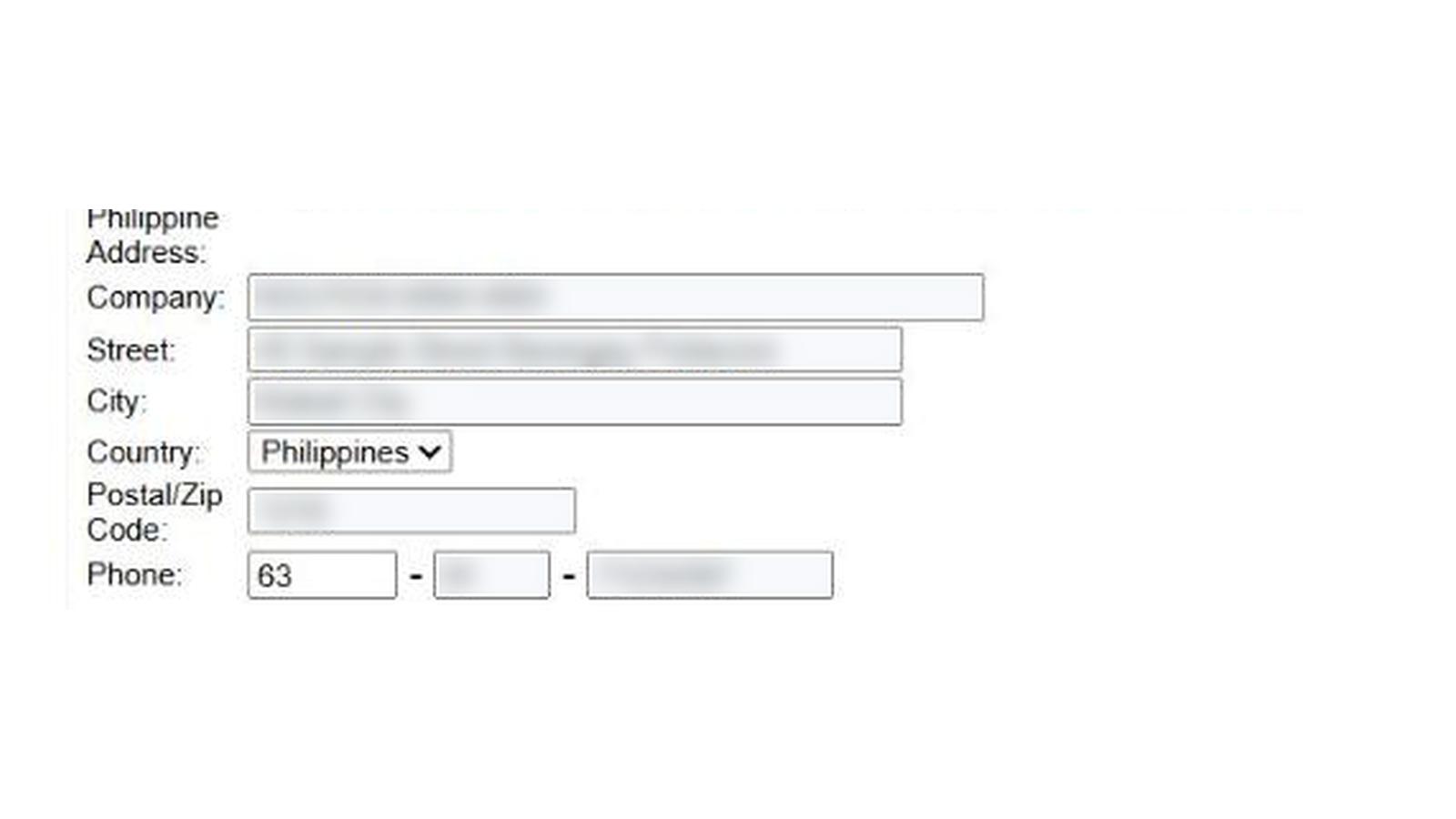
- Company: the form will not accept an empty box. A private owner has no company, so enter your full name as in the passport.
- Street and City: up to 35 characters each. Use the home where the pet will live.
- Postal/Zip Code: digits only.
- Phone: digits only, in three boxes. The area box takes 2 digits and the number box takes 8. A mobile number such as 0917 123 4567 goes in as 63, 91 and 71234567.
Leave out hyphens, apostrophes, semicolons and quote marks in the address boxes. The form’s input filter rejects them.
Address abroad
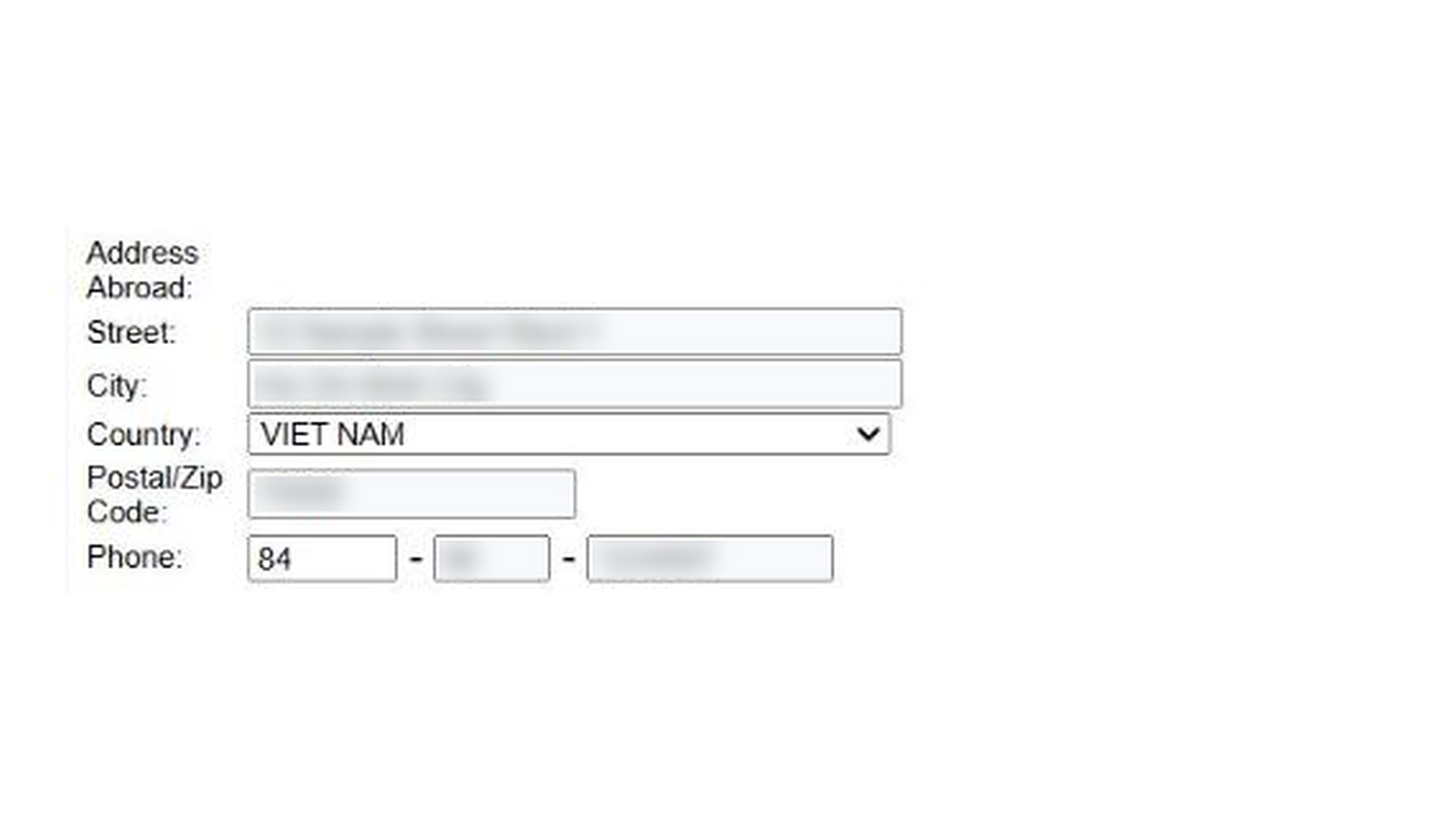
- Street and City: your current address outside the Philippines.
- Country: the list opens on AFGHANISTAN. Select the country you live in.
- Postal/Zip Code: digits only.
- Phone: your country code, then the first 2 digits without the leading zero, then the rest. A Vietnamese number 090 123 4567 goes in as 84, 90 and 1234567.
Email, password and pet type
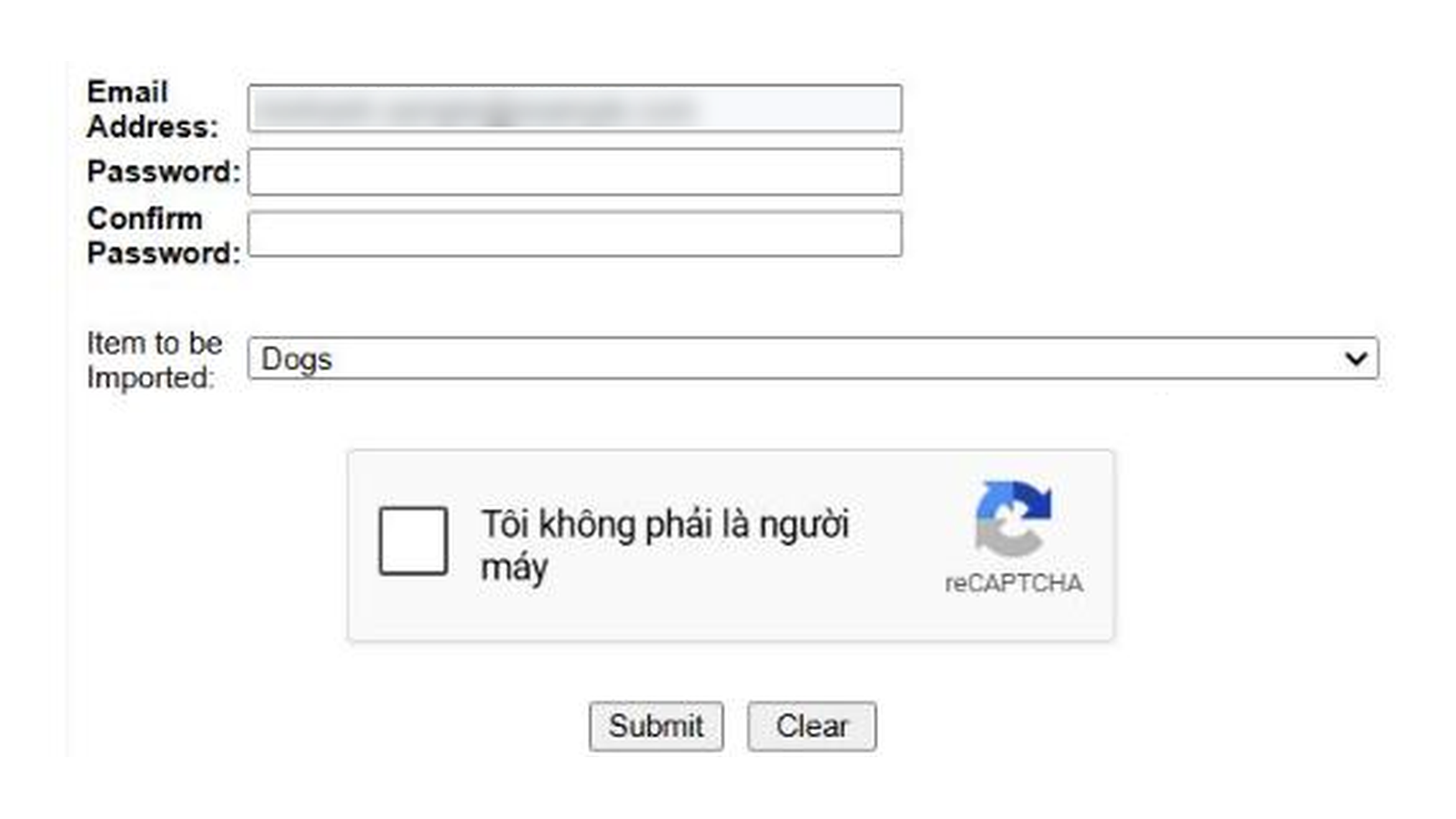
- Email Address: this is your user name. It takes 5 to 30 characters with no spaces. Temporary email services are blocked.
- Password: 8 to 20 characters, with an uppercase letter, a lowercase letter, a number and a special character. It must not contain the digit 6 or 8.
- Item to be Imported: choose Dogs or Cats.
- reCAPTCHA: tick the box, then click Submit.
Activate the account
InterCommerce sends an activation link to your email. If nothing arrives, check the spam folder first. Then write to helpdesk@intercommerce.com.ph. For questions about the permit itself, BAI’s National Veterinary Quarantine Services Division (NVQSD) answers at nvqsd@bai.gov.ph.
Step 2: log in and start a new SPSIC application
The screens behind the login follow BAI’s official InterCommerce guide, dated June 2021. The BAI pet import page still links to that guide. Some screens may look different today.
- Go to intercommerce.com.ph, click “I Agree” on the Privacy Policy box, and sign in with your email and password.
- Choose your account name and click “Next”.
- Under commodity, choose “Live Animals”.
- Choose “Create new application”. The other option, “Open existing application”, is for checking status later.
- Click “Continue”.
- Read the note on One-time and Commercial importers. A family moving its own pets files as a one-time importer.
Step 3: upload your documents
- Click “Choose File” for each document and pick the PDF or JPG from your computer.
- A file name next to the button means the upload worked. “No file chosen” means it did not.
- For more than one pet, merge the same type of document into one file. For example, put every microchip record in one PDF.
- Click “Submit”, then “OK” to continue.
The 2021 guide also shows slots for a notarized affidavit and a TIN identity card. BAI dropped both for pet owners in November 2022 (Memorandum Circular No. 49, s. 2022). If the portal still shows a slot you cannot fill, ask the InterCommerce helpdesk before you upload anything else.
Step 4: enter the transport and pet details
- Purpose: choose the importation purpose for a pet.
- Quarantine Site: the Philippine address where the pet will stay. Use the final address even if the flight lands in another city.
- Port of entry: the airport where the pet lands, such as Ninoy Aquino International Airport (NAIA) in Manila or Mactan-Cebu.
- Mode of travel: air. Your airline and travel method decide which airport you can use.
- Source country: the country the pet flies from.
A pet that lands at NAIA and lives in Cebu is a common case. The Quarantine Site is then the Cebu address. The quarantine station at NAIA issues a Local Shipping Permit for the domestic leg, valid for 7 days.
The airport you choose here prints on the SPSIC as the indicative port of entry. Book the flight into that airport. If the route changes, ask BAI before the pet flies.
Next, enter each pet’s breed, age and microchip number. Click the search button to find the HS code, then click “Select”. Click “Save item” after each pet. When every pet is saved, click “SEND”.
The screen shows “NO ERRORS FOUND” when nothing is missing. If a document is missing, the screen names it, and you go back to the upload page.
Step 5: track the status and print your SPSIC
- Under Review: BAI has the application in its review queue.
- Created: BAI has not received it. Open it again and fix the missing details.
BAI reviews the documents, endorses the application and then approves it. Check the status in your InterCommerce account. After approval, open the application and print both “Clearance (front)” and “Clearance (back)”.
Boxes to check on the approved SPSIC
| Box on the SPSIC | What to check |
|---|---|
| 4. Must Ship Out by Date | The pet must leave the exporting country by this date. It falls 60 days after the issue date. |
| 5. Name of Importer | Same name as on the export health certificate. |
| 7. TIN | Your Philippine TIN, or your passport number. |
| 15. Country of Origin | The country the pet comes from. |
| 23. Description | Species, breed, sex, age in months and microchip number, matching the certificate. |
| 27. Indicative Port of Entry | The airport where the pet will land. |
| 28. Quarantine Site | The Philippine address where the pet will stay. |
On arrival, the BAI quarantine officer checks the printed SPSIC and the original health certificate. The officer may also ask for forms the airport station uses. The SPSIC fee and the arrival inspection fee follow BAI’s current schedule, paid at the quarantine desk. Our Philippines pet shipping cost guide shows where these fees sit in the total.
If the flight moves past the Must Ship Out by Date
BAI does not extend an SPSIC, so a later flight needs a new permit. A one-time importer must cancel the old permit first.
- Open the approved permit in your InterCommerce account.
- Click “Request for Cancellation” and give the reason.
- Wait for a BAI reviewer to confirm the cancellation.
- File a new SPSIC application with the new travel dates.
SPSIC application FAQ
Can someone else file the SPSIC application for me?
Yes. A family member or a pet relocation company can fill in the form with the importer’s details. The permit stays in the importer’s name, and that name must match the health certificate. More short answers are in our Philippines pet import FAQ.
Do I need a Philippine TIN to apply?
No. An importer without a Philippine TIN enters a passport number in the TIN box.
Can I use one SPSIC for two trips?
No. An SPSIC covers one shipment and cannot be transferred to another person.
How long is the SPSIC valid?
The SPSIC is valid for 60 days from the date BAI issues it. The pet must leave the exporting country by the Must Ship Out by Date printed on the permit.
What if the activation email never arrives?
Check the spam folder, then email helpdesk@intercommerce.com.ph. InterCommerce handles account problems. BAI handles questions about the permit at nvqsd@bai.gov.ph.
Sources: BAI Memorandum Circular No. 38, s. 2026 (signed 29 July 2026); BAI pet import page and InterCommerce registration form, checked on 25 October 2026.
Last updated 26 Oct 2026
Compiled by our specialists from the regulations in force on the date above, for reference only. Rules may change after this date. Please verify with the competent authorities or contact us for the most accurate information.
Official sources cited in this guide
- InterCommerce importer registration pageintercommerce.com.ph
- BAI pet import pagebai.gov.ph